
Creating a scalable way for visitors to reach help when no one’s at the front desk.
Overview
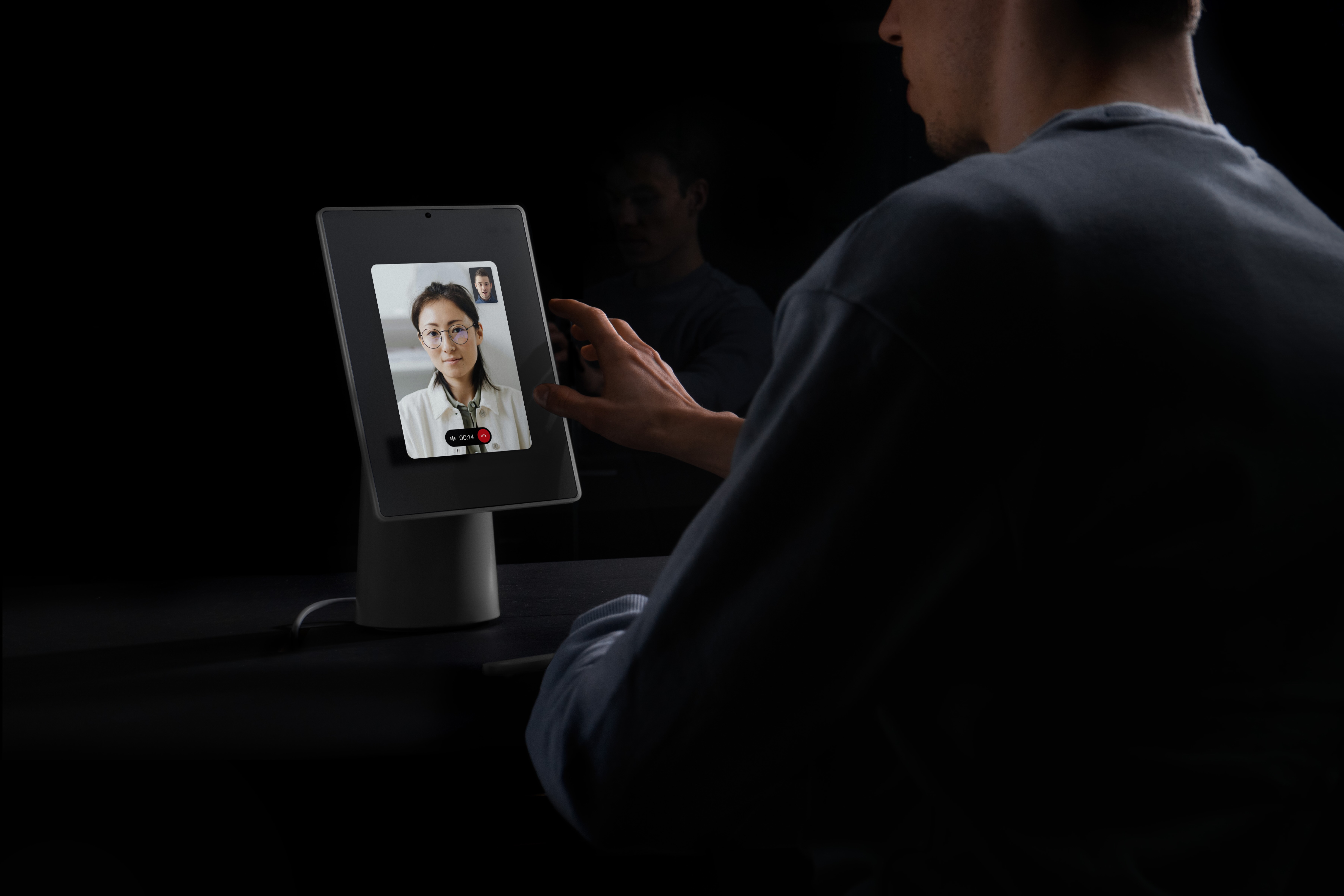
Virtual Front Desk connects visitors with remote employees when no one is physically at the front desk. I co-pitched the product and led its end-to-end design from concept through launch, creating an experience that spanned kiosk, web, mobile, Slack, and Microsoft Teams.
What began as a simple way to reach someone remotely evolved into a flexible system for routing calls based on teams, schedules, locations, and availability.
What I did
• Co-pitched the product with my PM and helped turn the idea into a new product initiative
• Led end-to-end design from concept through launch and continued product evolution
• Designed the experience across kiosk, web, mobile, Slack, and Microsoft Teams
• Built flexible systems for scheduling, routing, fallback coverage, and multi-location setups
• Established reusable patterns that could scale across Virtual Front Desk and other Envoy products
Role
Lead Product Designer
Timeline
Nov 2023 - July 2024 [Pitch + Launch]
July 2024 - Present [Product evolution]
Platform
Kiosk · Web · Mobile · Slack · Microsoft Teams
Team
1 PM · 7 Engineers · 1 Designer
At a glance
206 offices
First month
$178K+ ARR
First month
500+ offices
Within three months
The front desk was changing
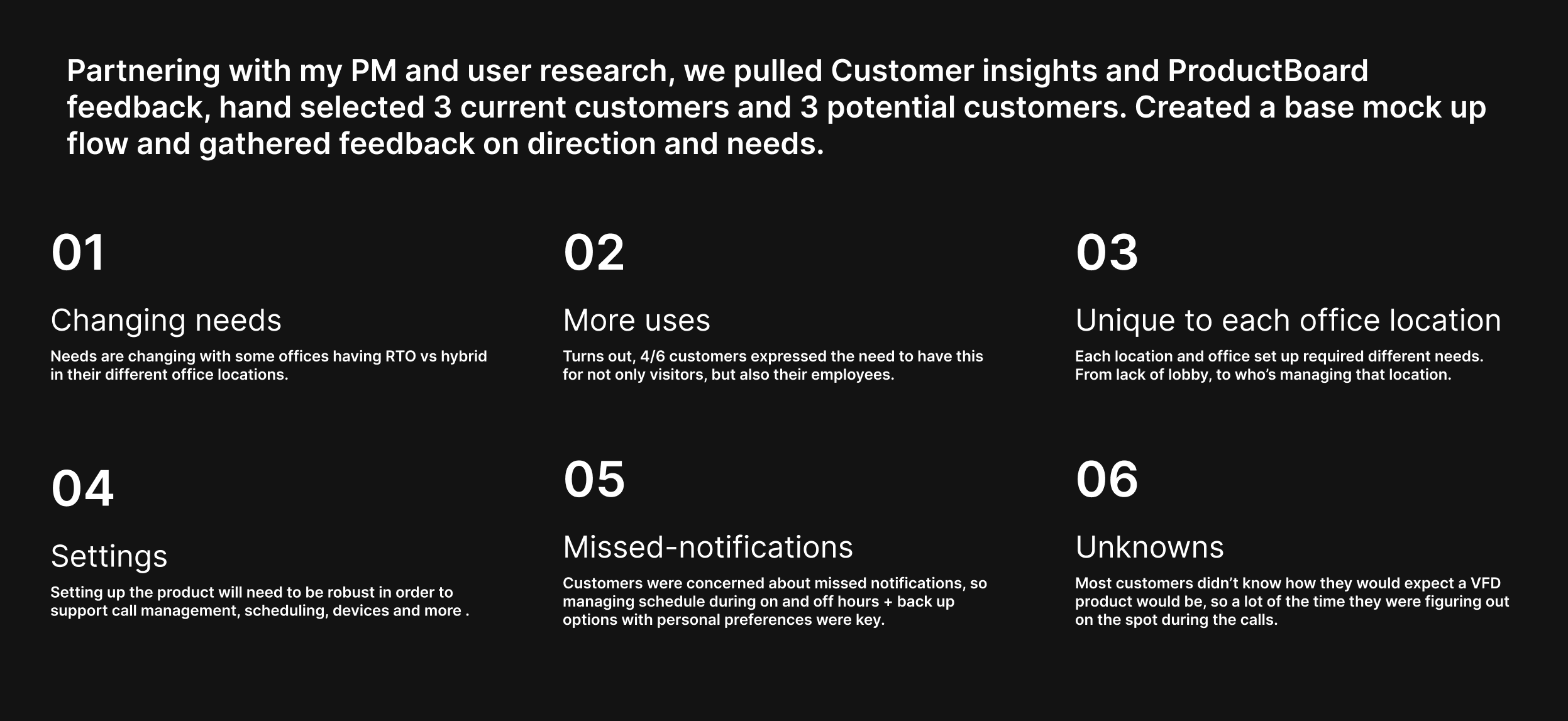
Hybrid work left many offices without consistently staffed front desks—and visitors without an obvious way to get help. My PM and I saw the opportunity, pitched Virtual Front Desk to leadership, and turned it into a new product initiative.
A simple call hid a bigger system
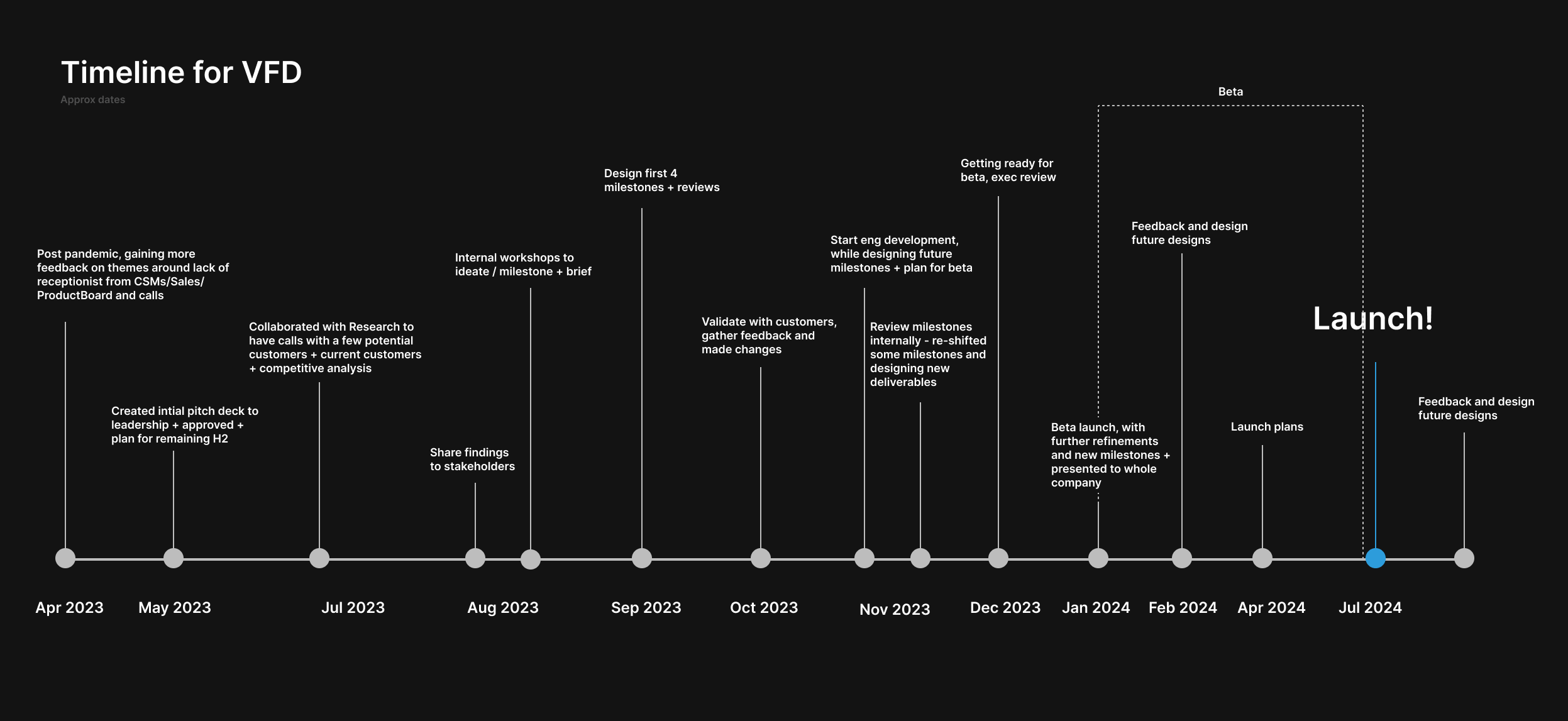
Connecting a visitor to an employee was only the start. The experience also had to account for who should answer, when they were available, and what happened when no one responded.
Launching the MVP
I designed the first end-to-end experience across the visitor kiosk, employee call experience, admin setup, and notifications.
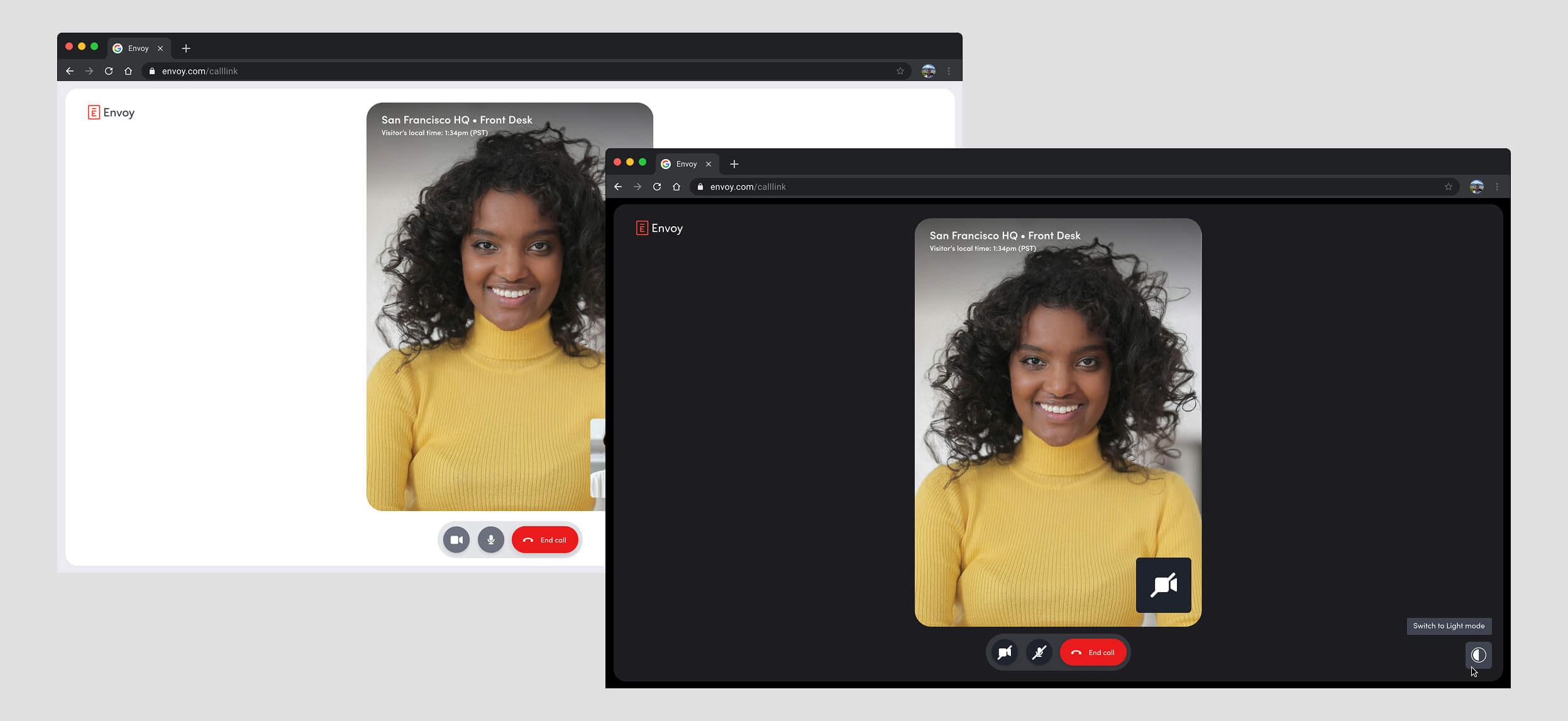
Answering a call in mobile friendly web link, while introducing dark mode in Envoy.
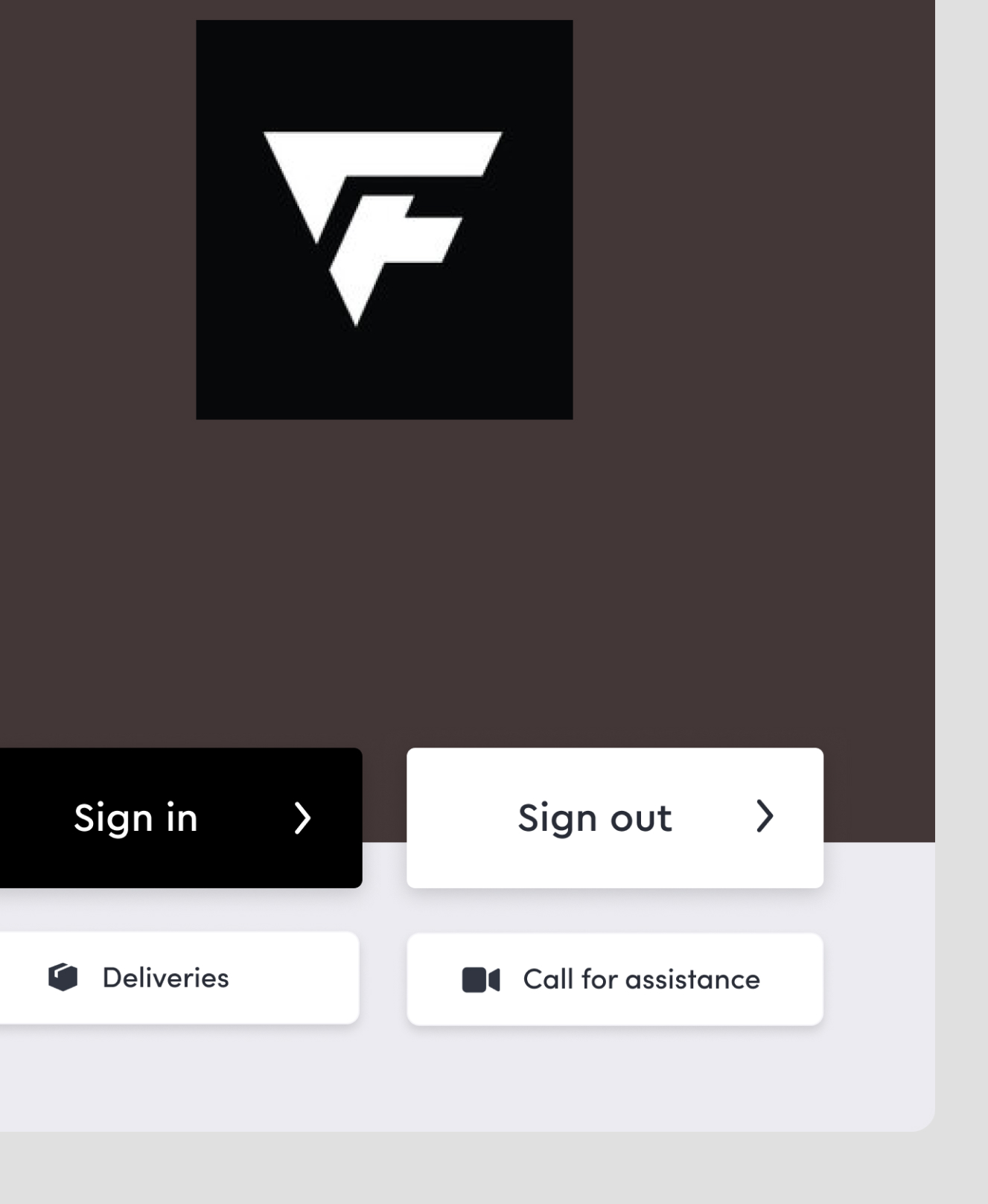
Adding a button in the kiosk welcome screen is not a simple process due to its customizability.
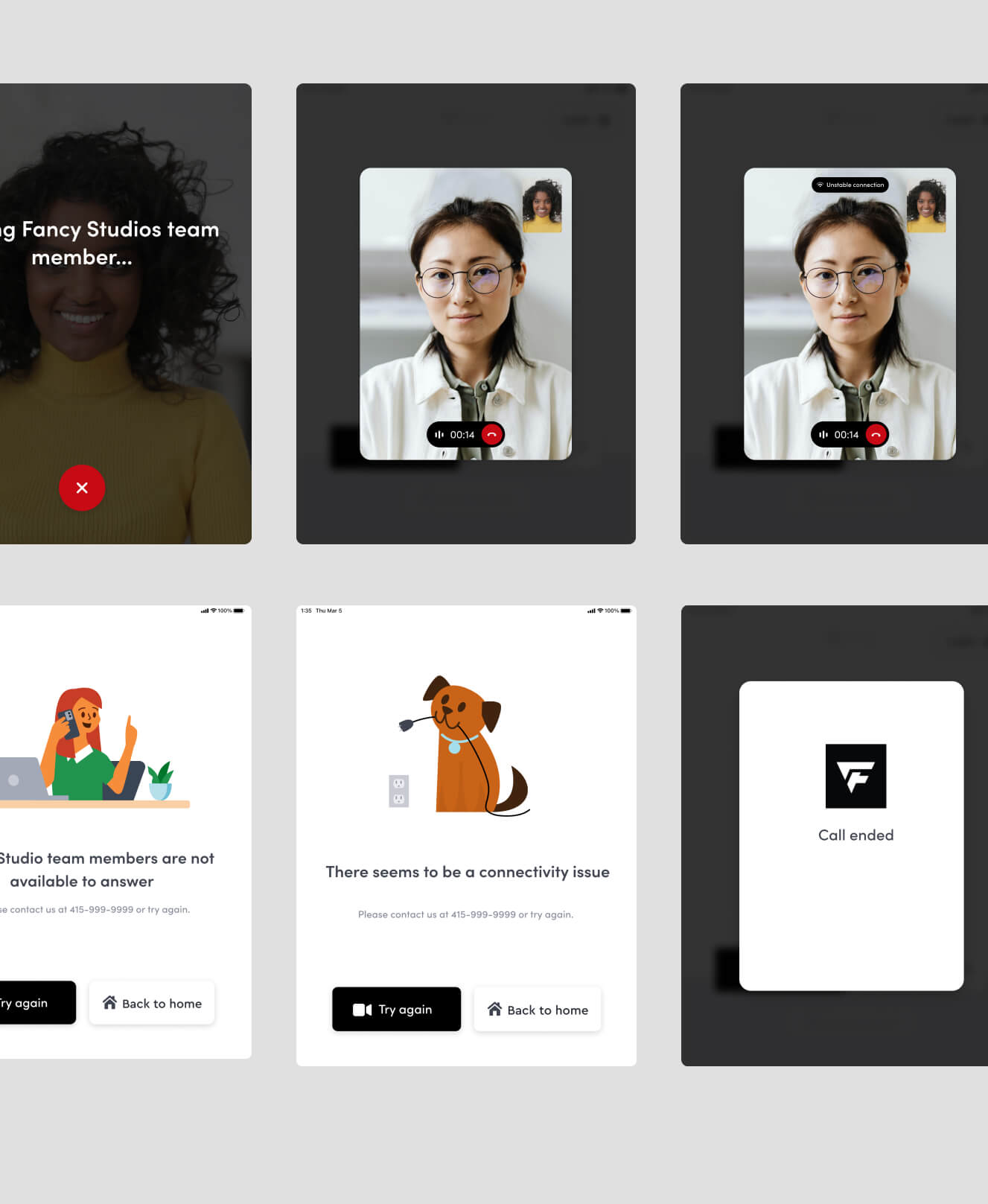
Some of the kiosk screen variations, including new approachable messaging and illustrations.
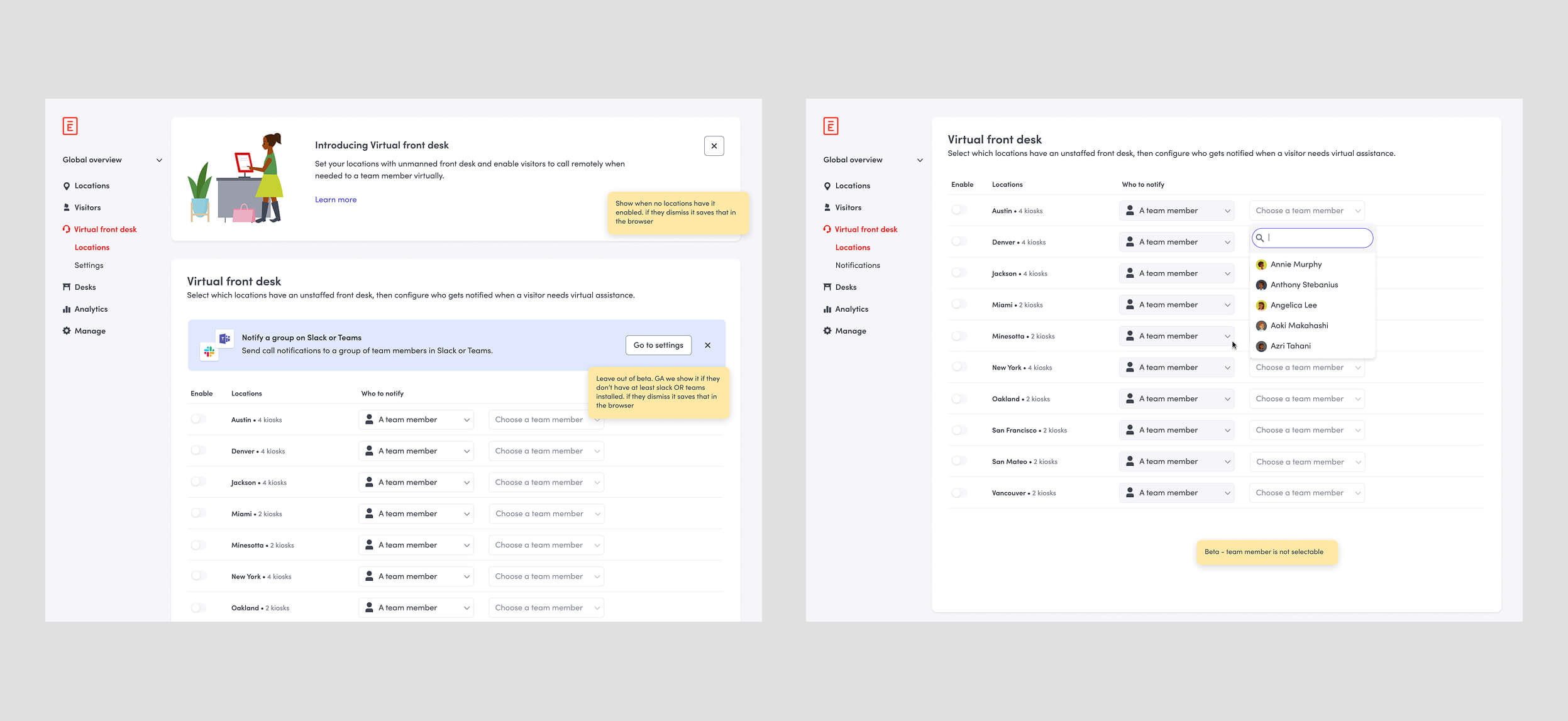
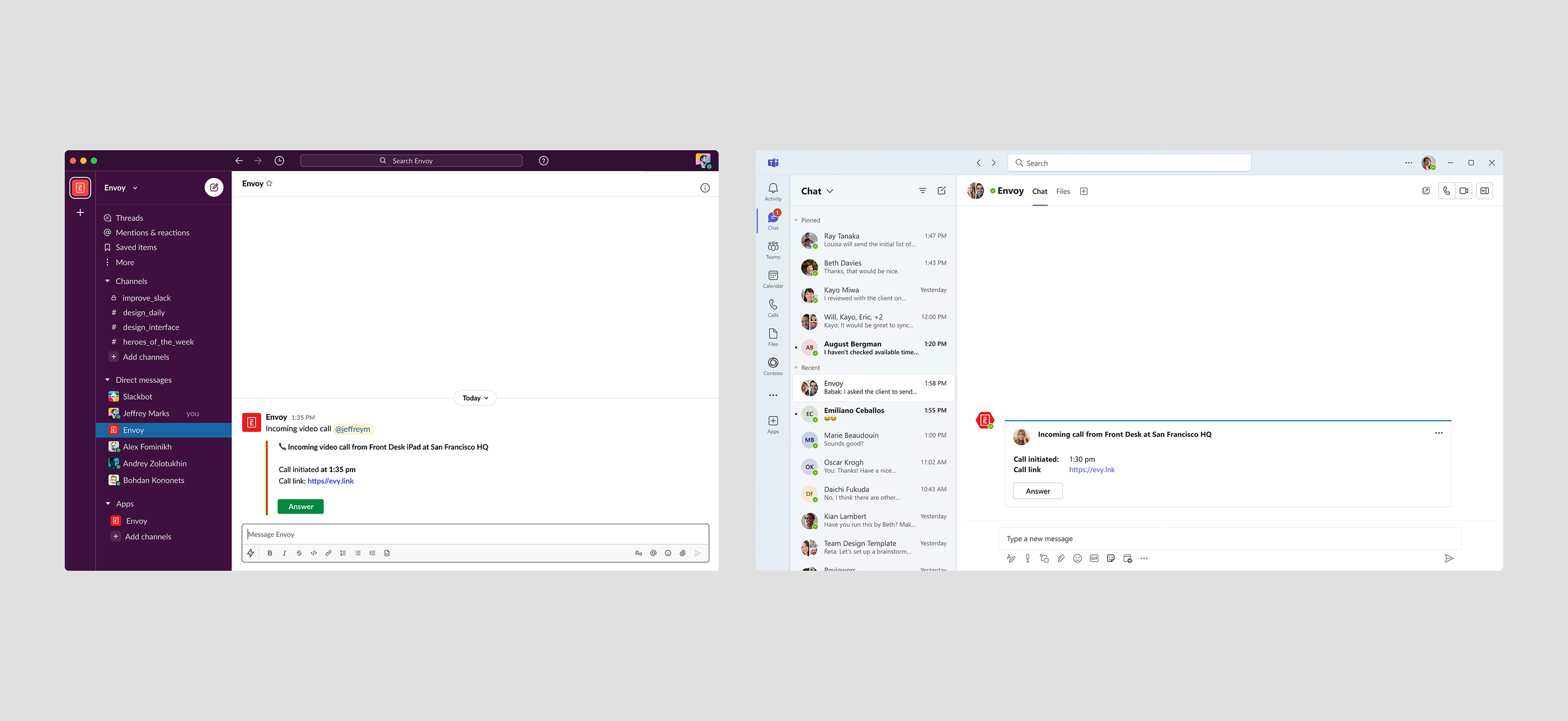
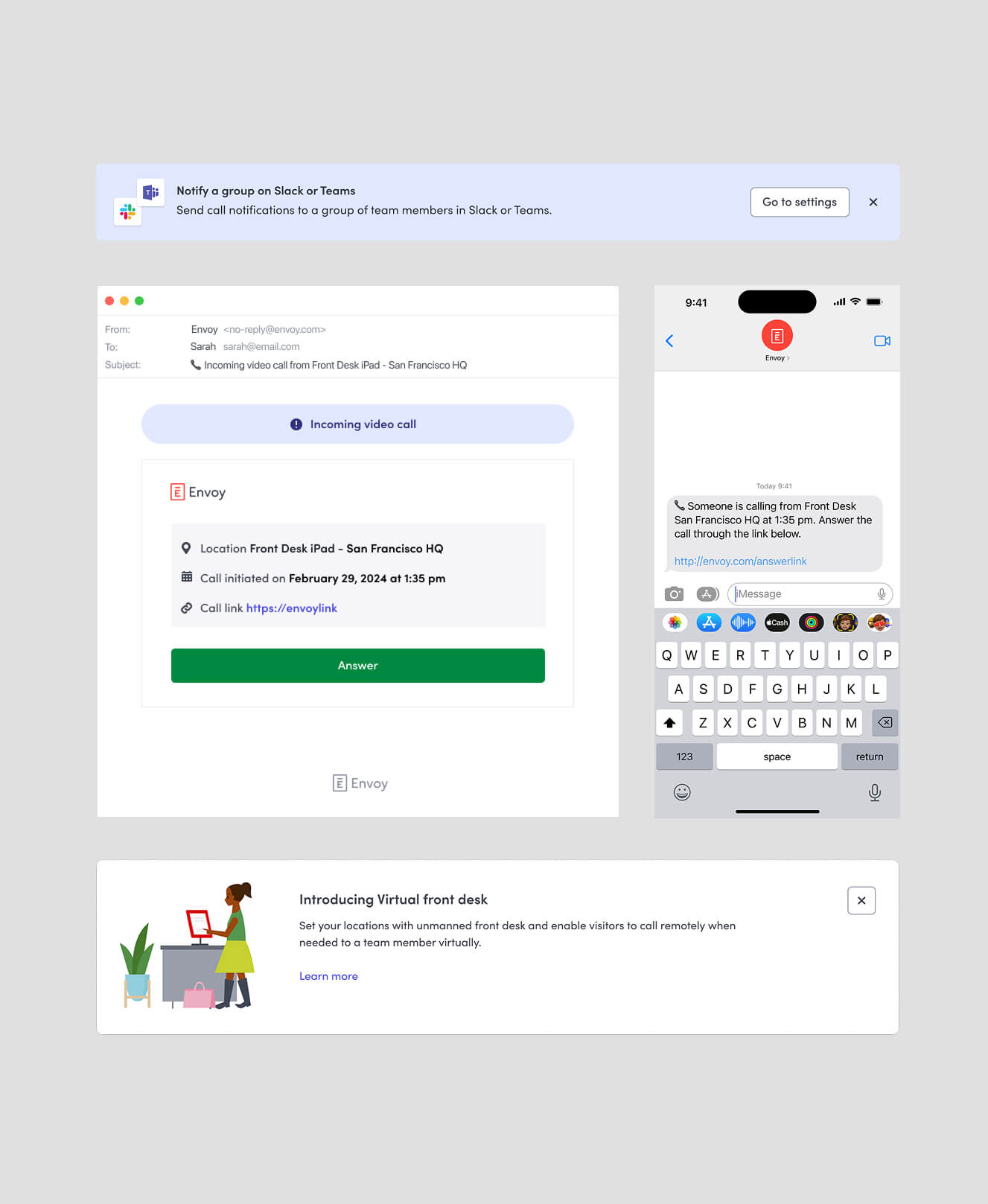
Different components + Email + Text message sample.
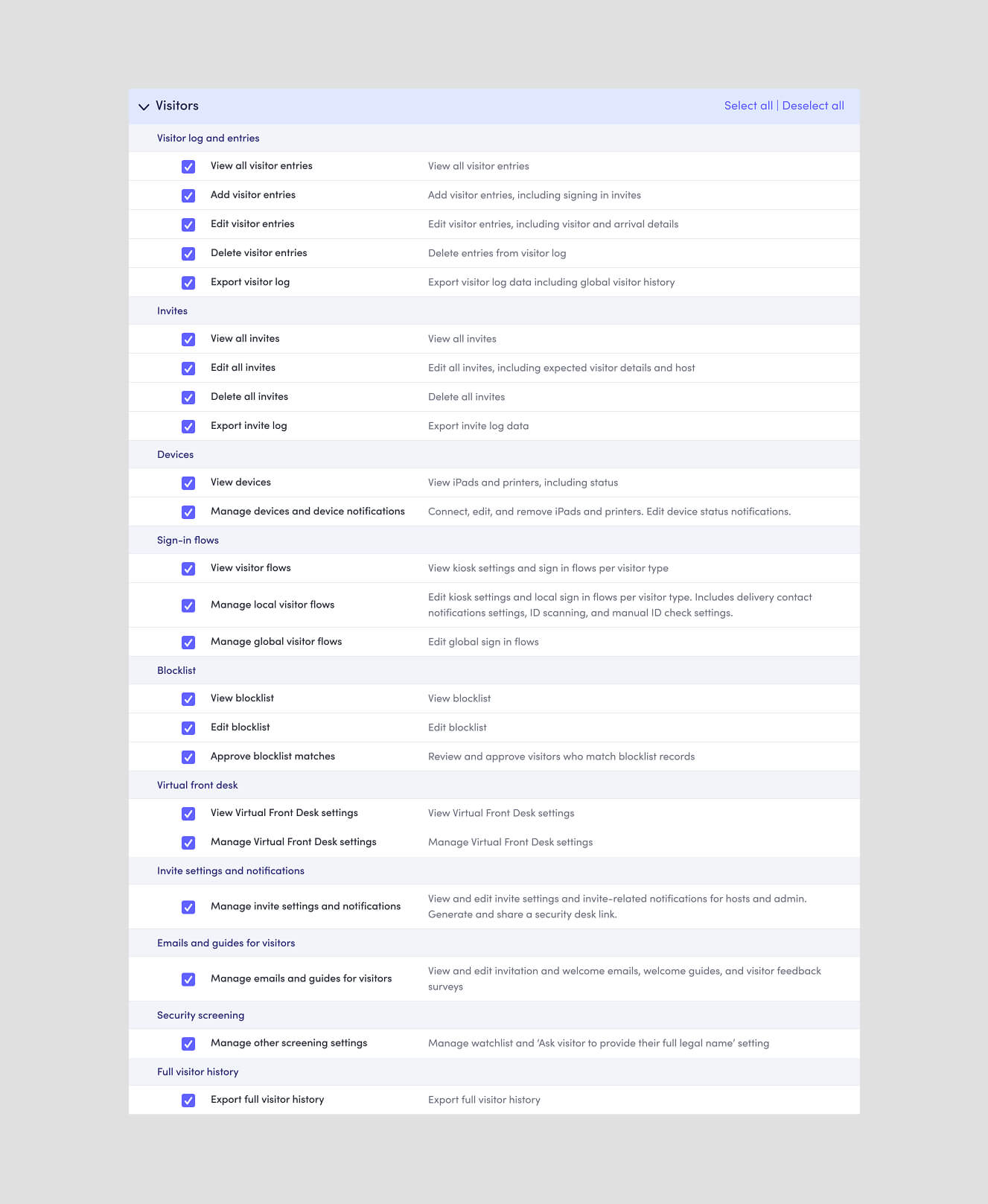
Permissions matrix to include Virtual Front Desk.
Designing for the unanswered call
As customers started using VFD, we expanded the experience with fallback messaging, translations, search, and the foundations for scheduled coverage.
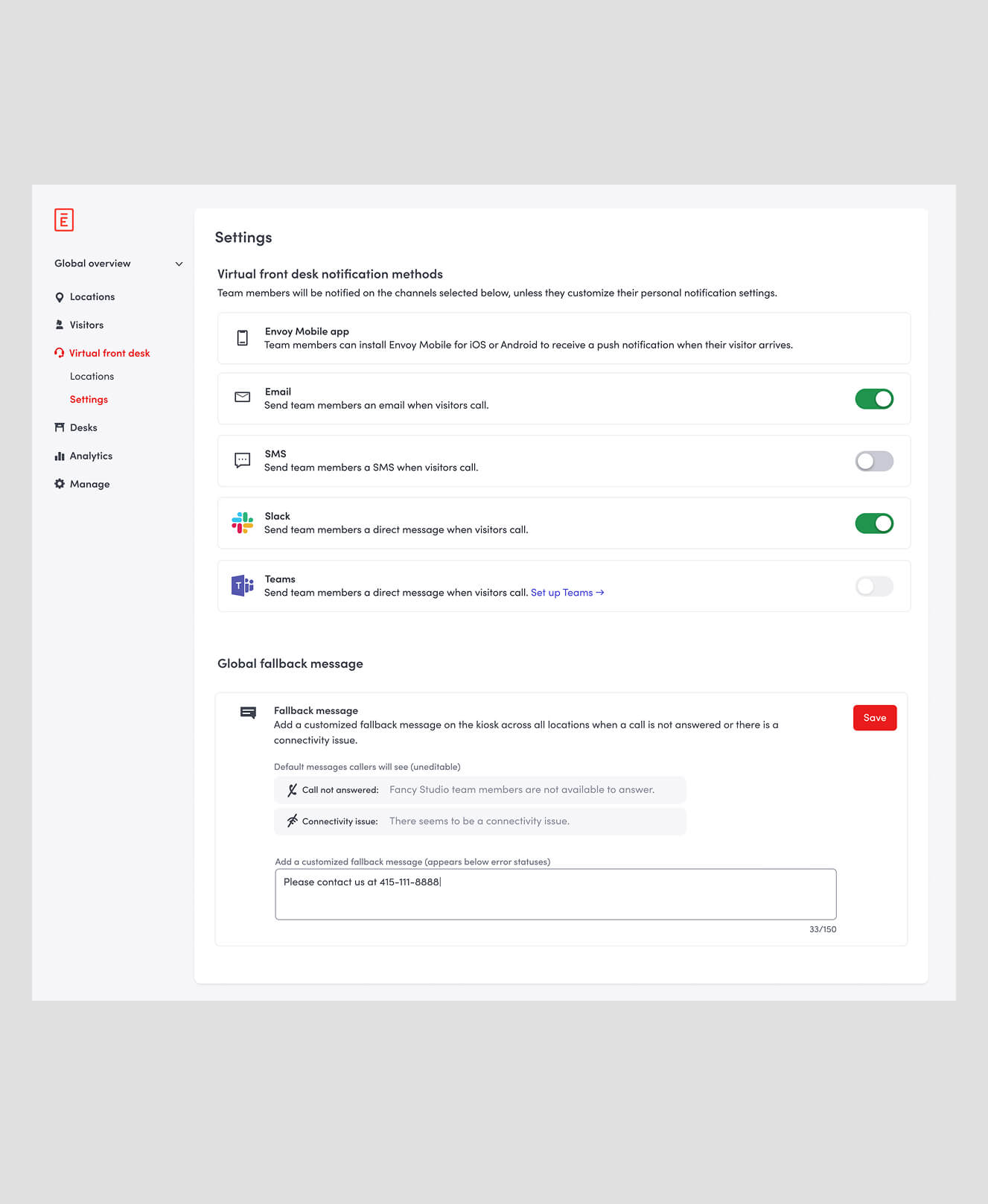
Fallback message allows custom messaging when a team member isn't available.
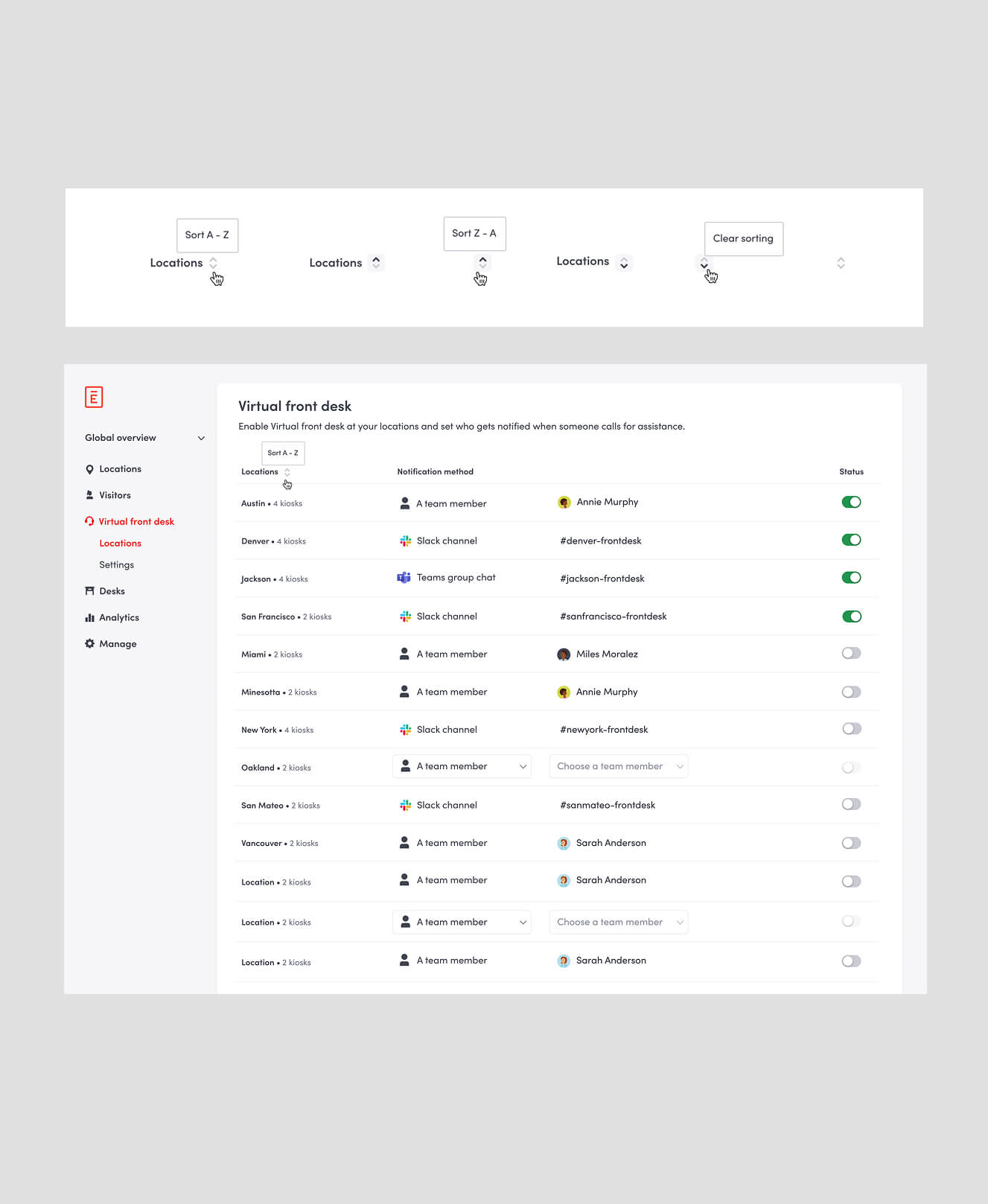
Enhancements around sorting in the set up page.
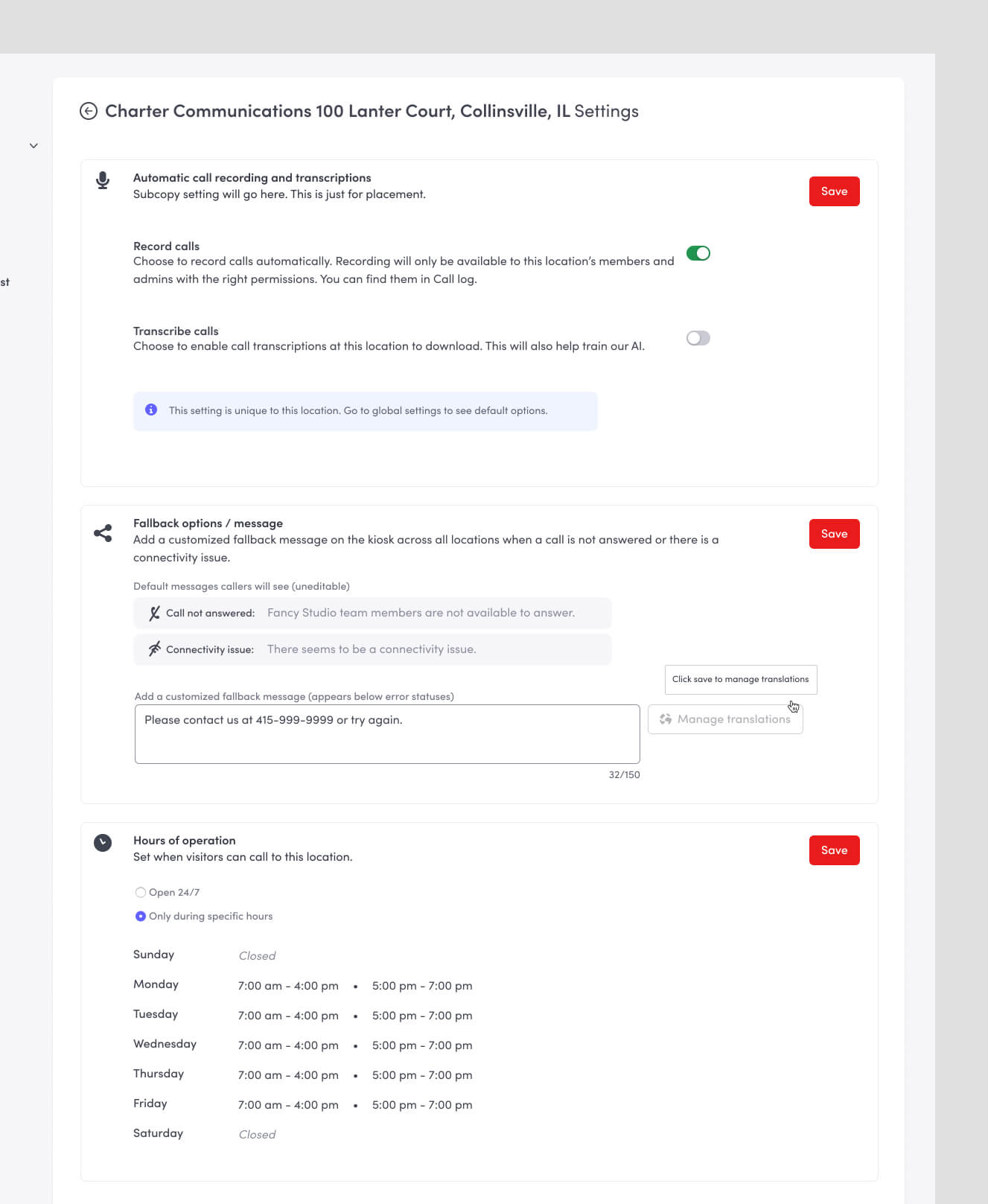
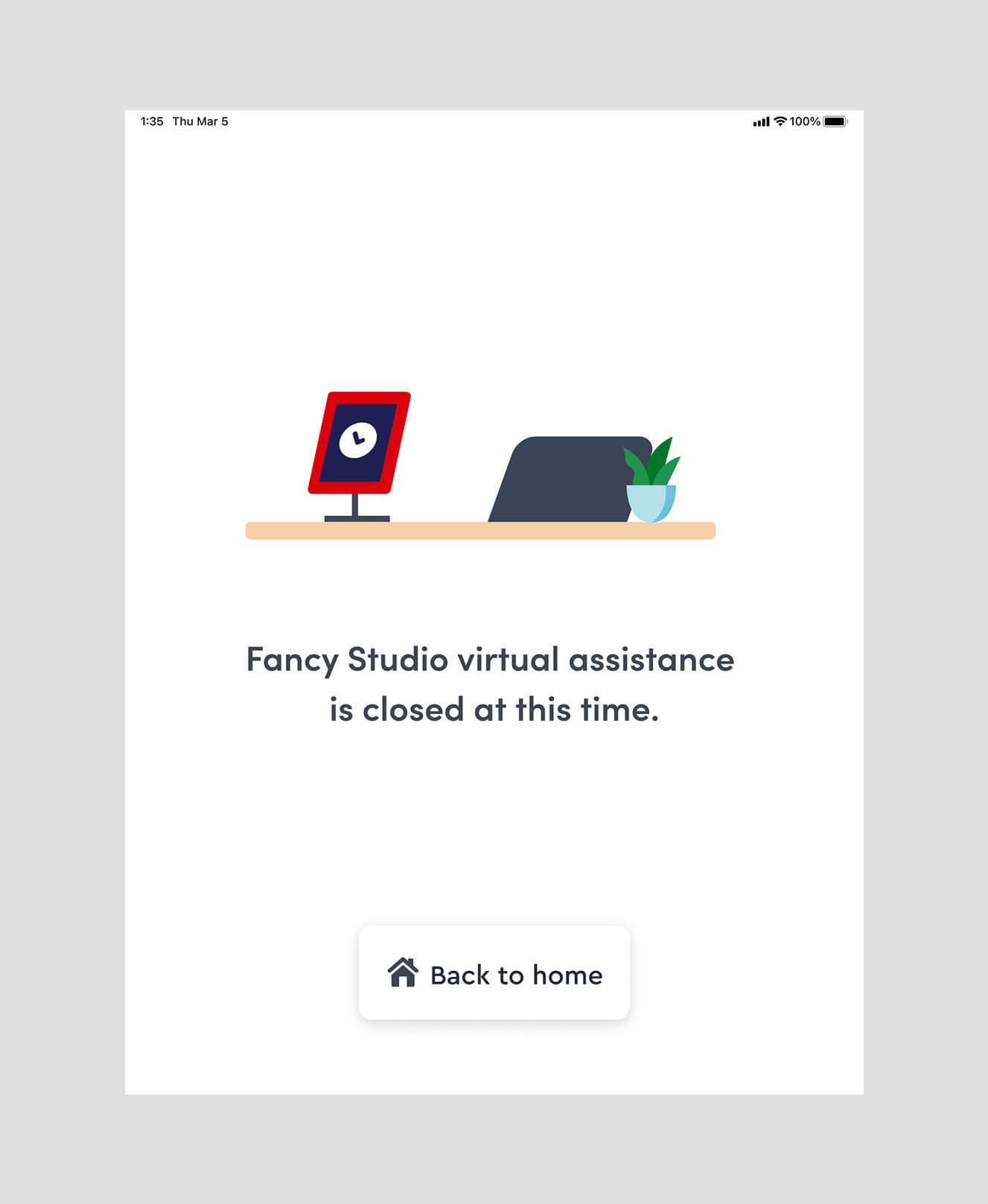
Fallback message translations and an introduction to hours of operation.
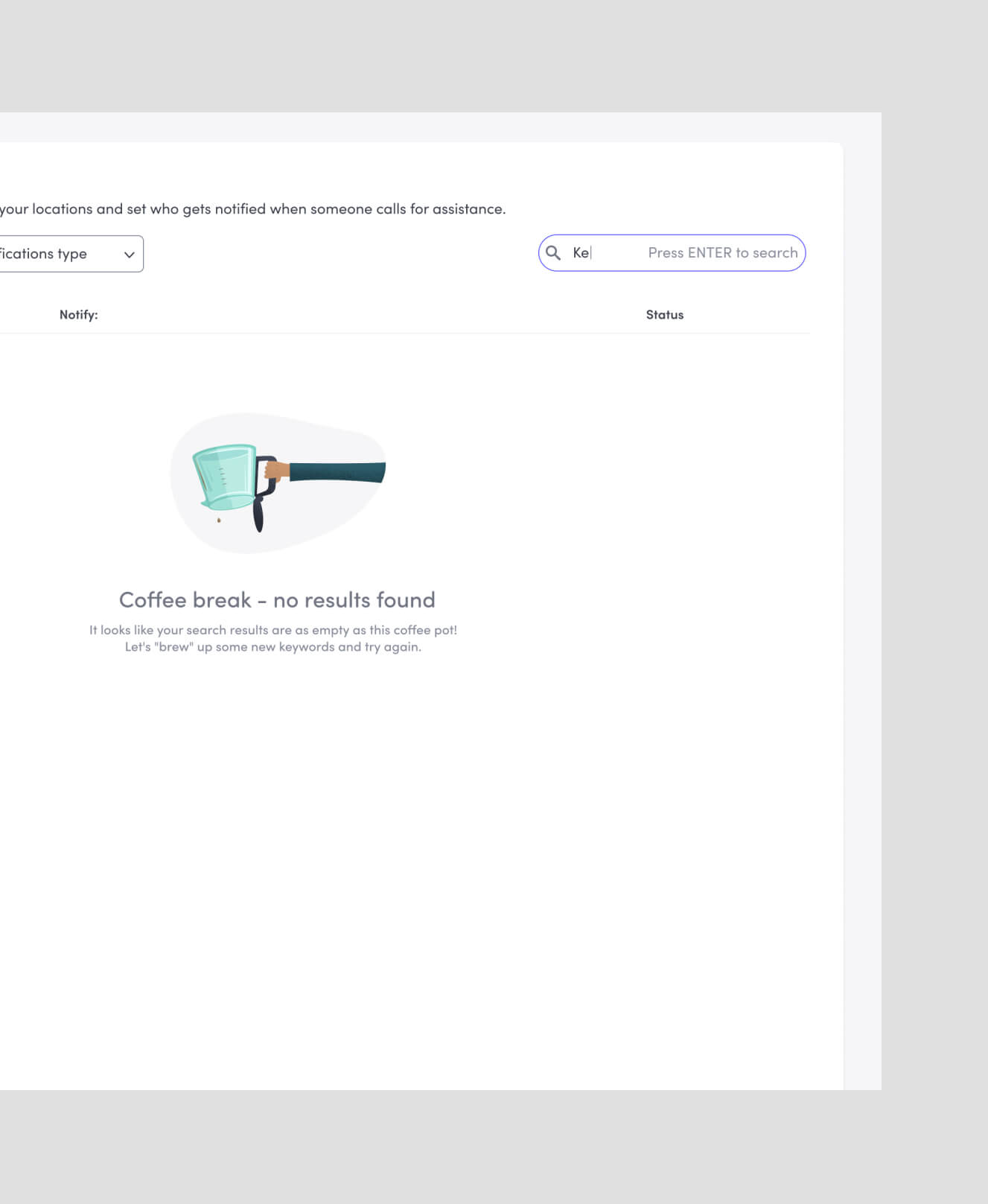
Introduce Search in set up page and renaming some columns.
Giving admins visibility
Call logs, analytics, recordings, and transcripts helped admins understand what happened after a visitor requested help.
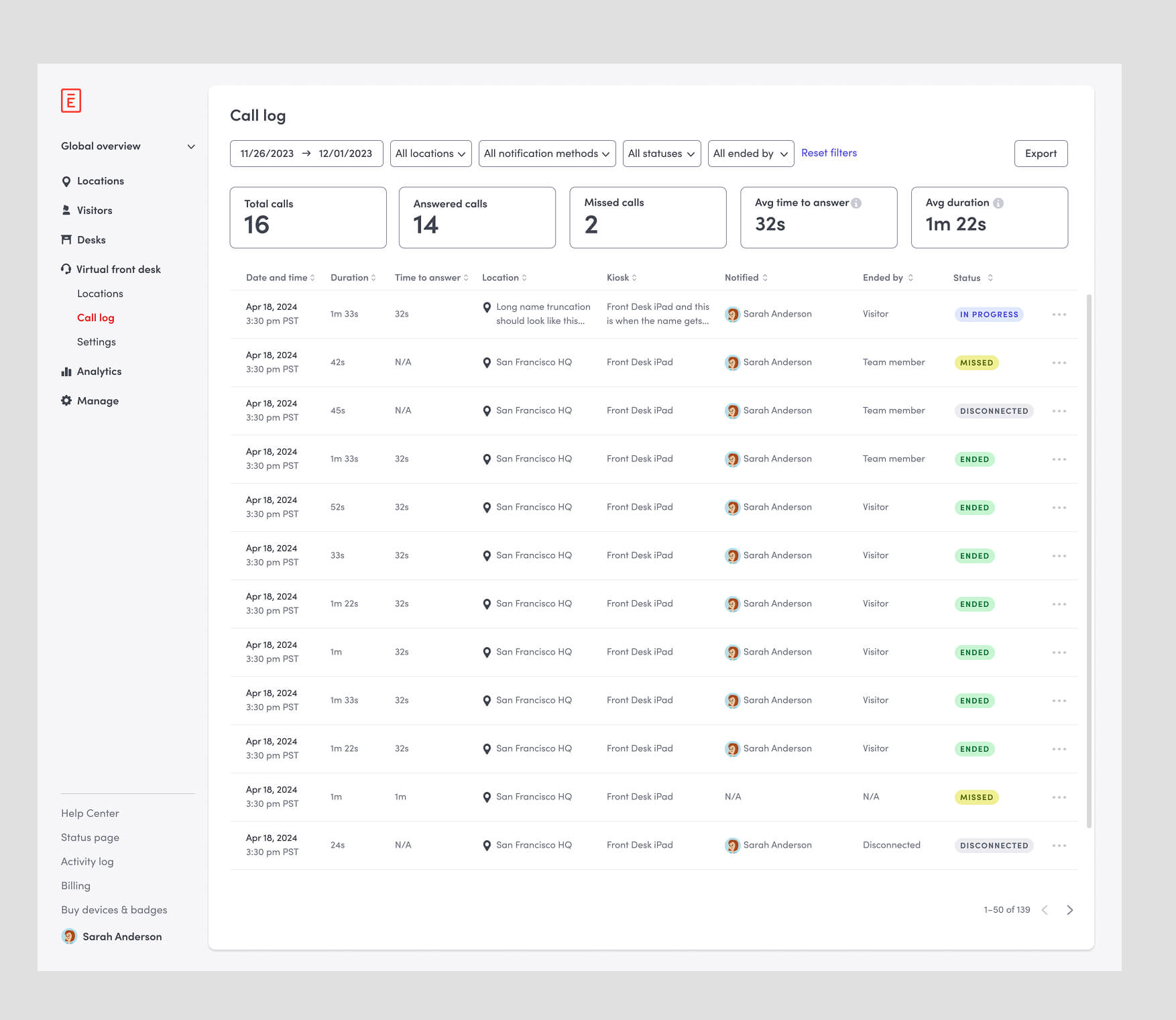
Introduce Call Logs with analytical insights.
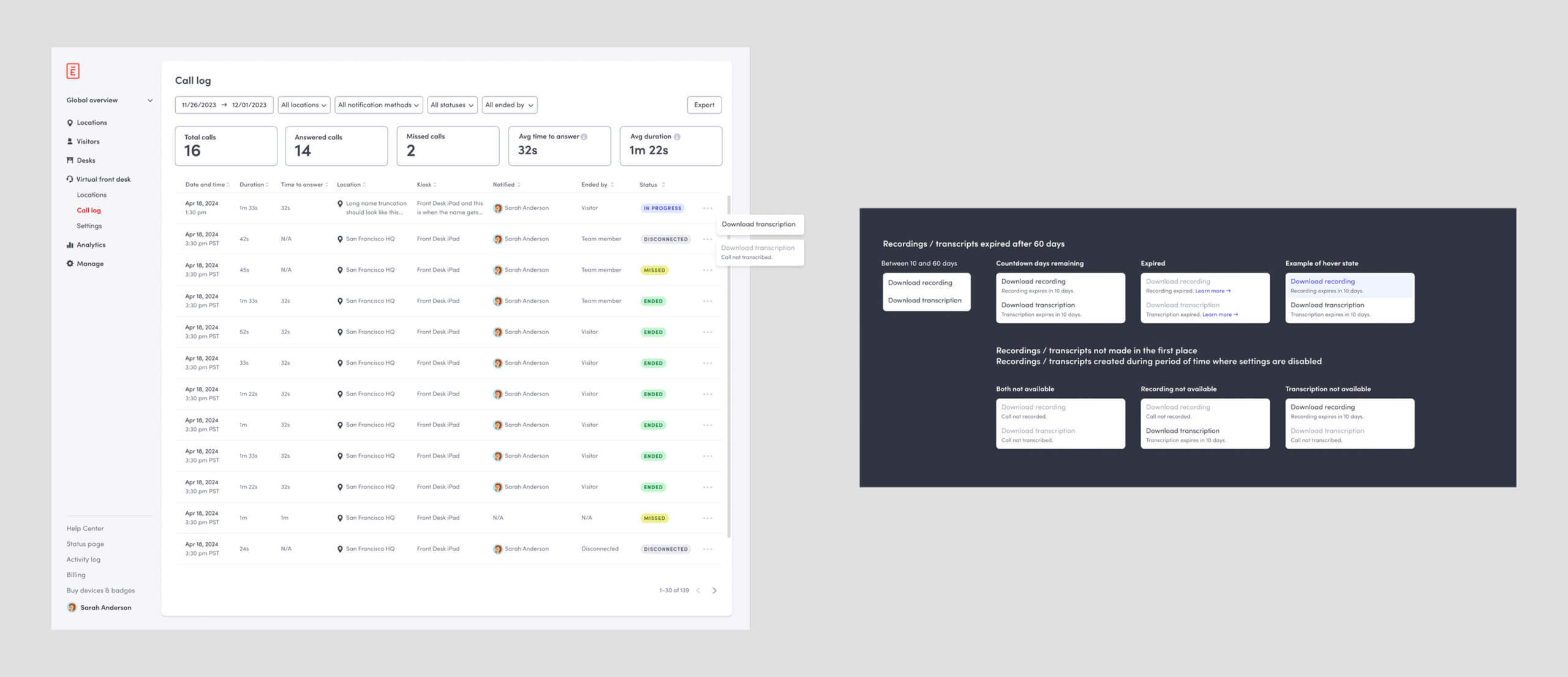
Download recording and transcriptions.
Scaling coverage
As VFD grew, admins needed more control over who was responsible and when. I designed hours, scheduling, backup teams, and routing—including the first calendar-based experience in Envoy.
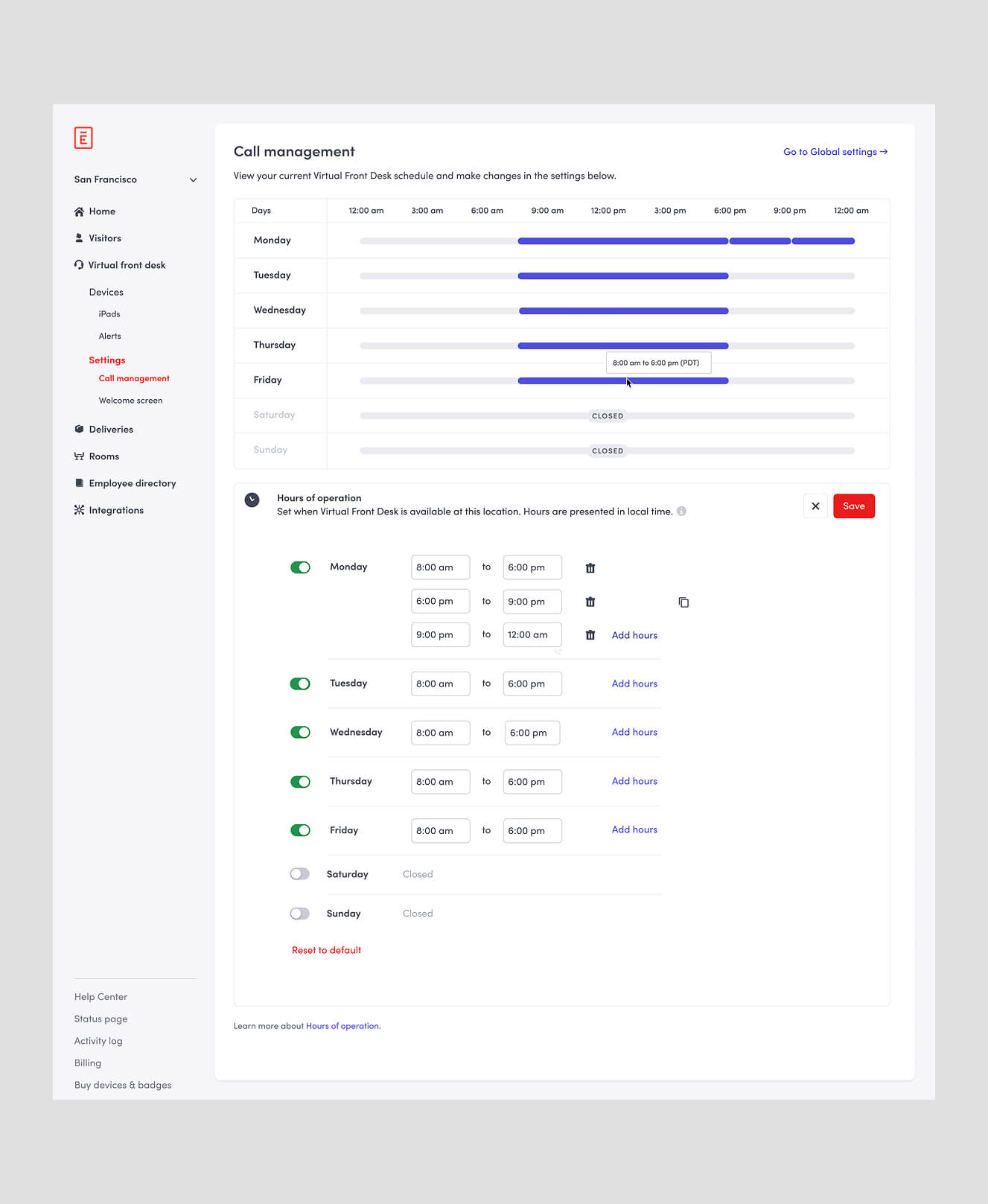
Introduced a location level hours of operation and scheduling to set up back up and routing.
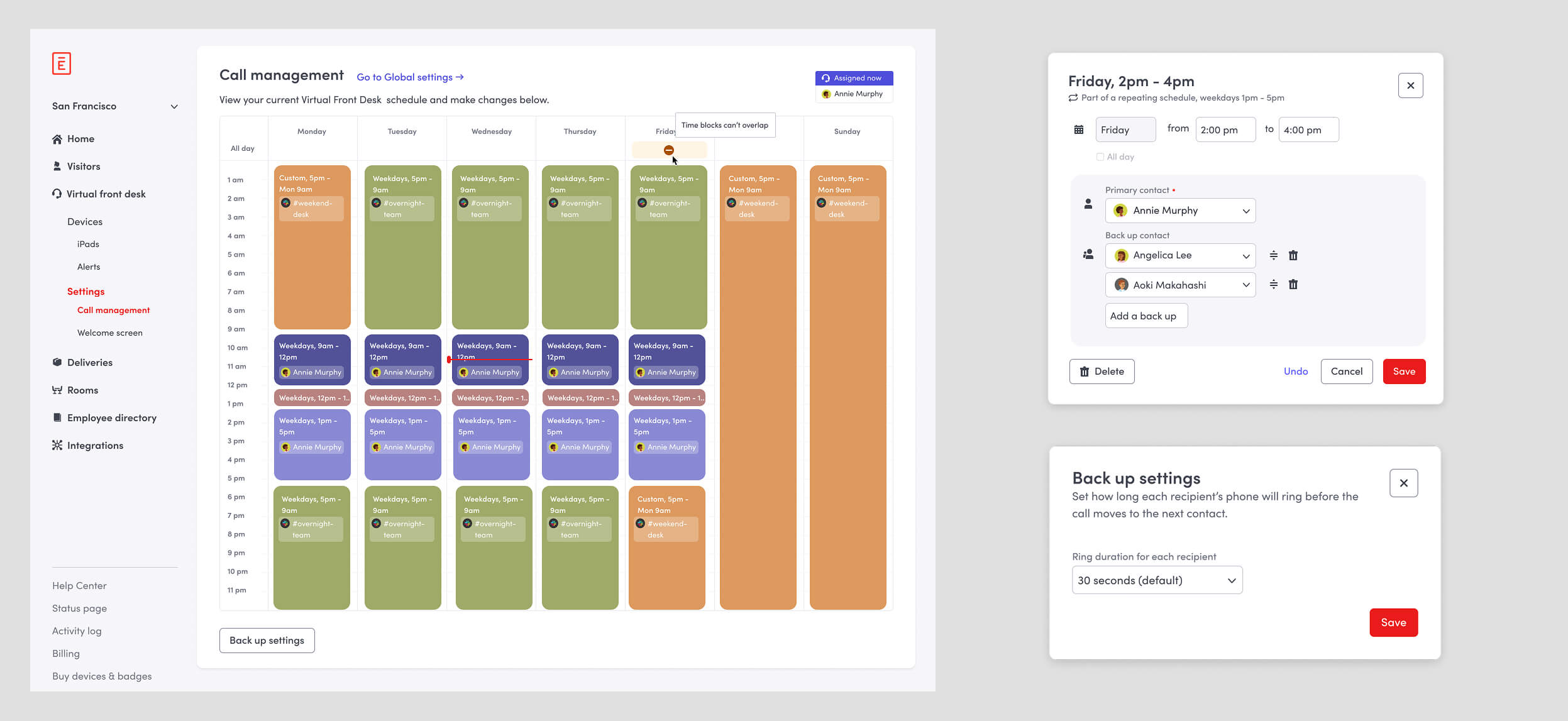
Introduce Calendar format of Back up and Routing, creating a comprehensive schedule from scratch. This would be the first Calendar feature in Envoy.
Taking VFD mobile
I partnered with another designer to extend VFD to mobile, letting admins answer calls and manage the experience away from their desks.
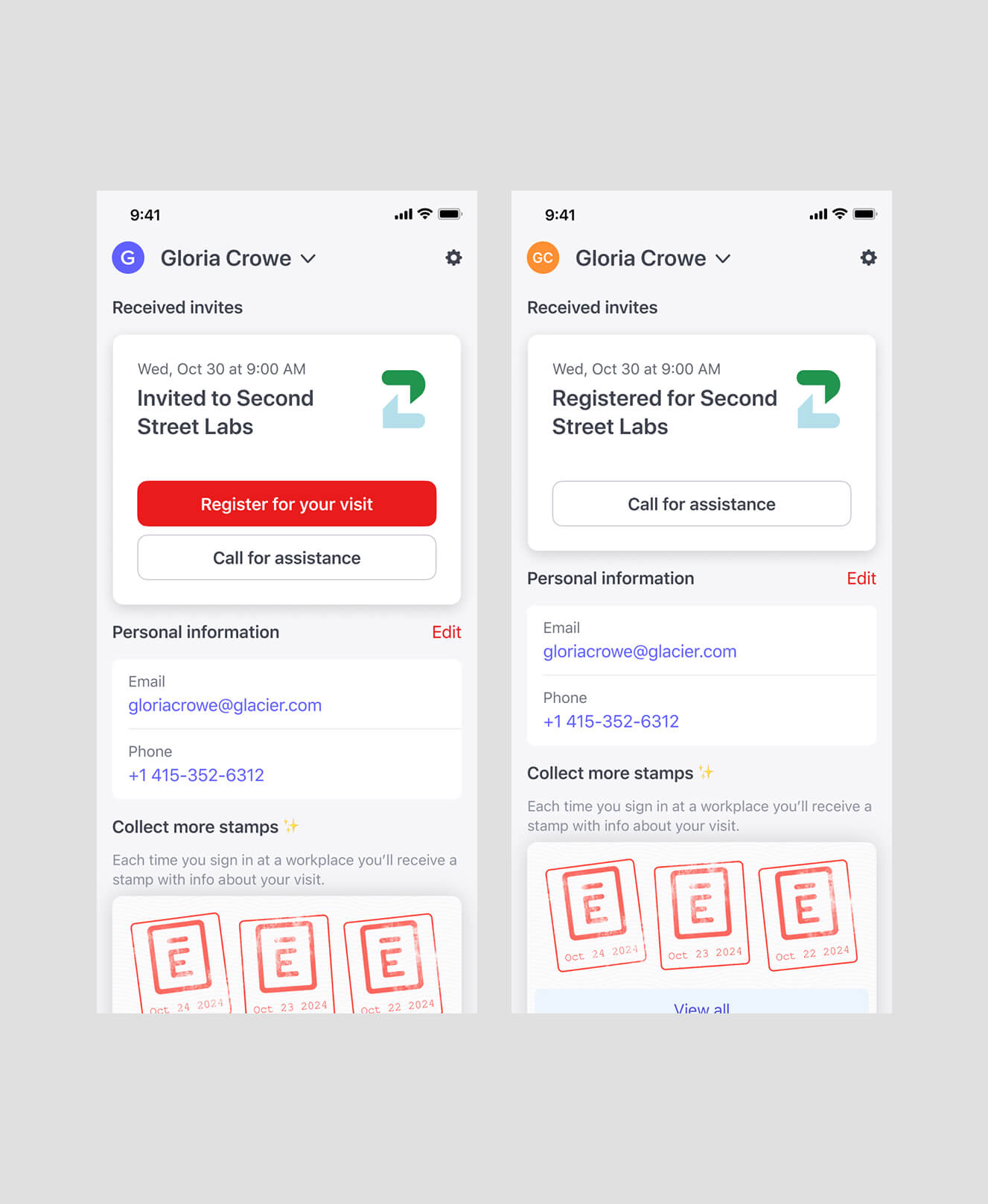
Introduce Mobile for admins to answer, visitors / employees to call (in collaboration with another designer for quick delivery time).
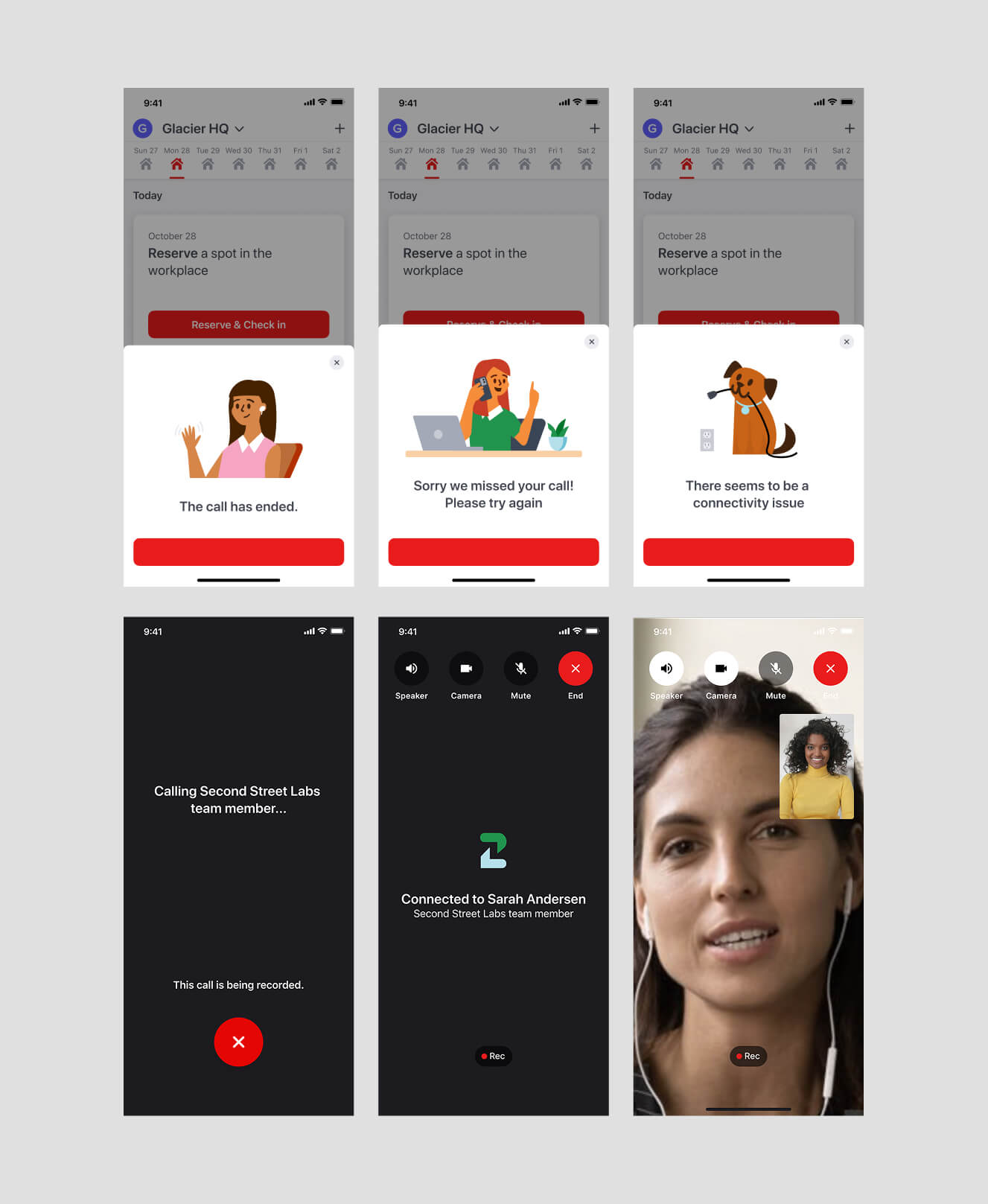
Some mobile variations.
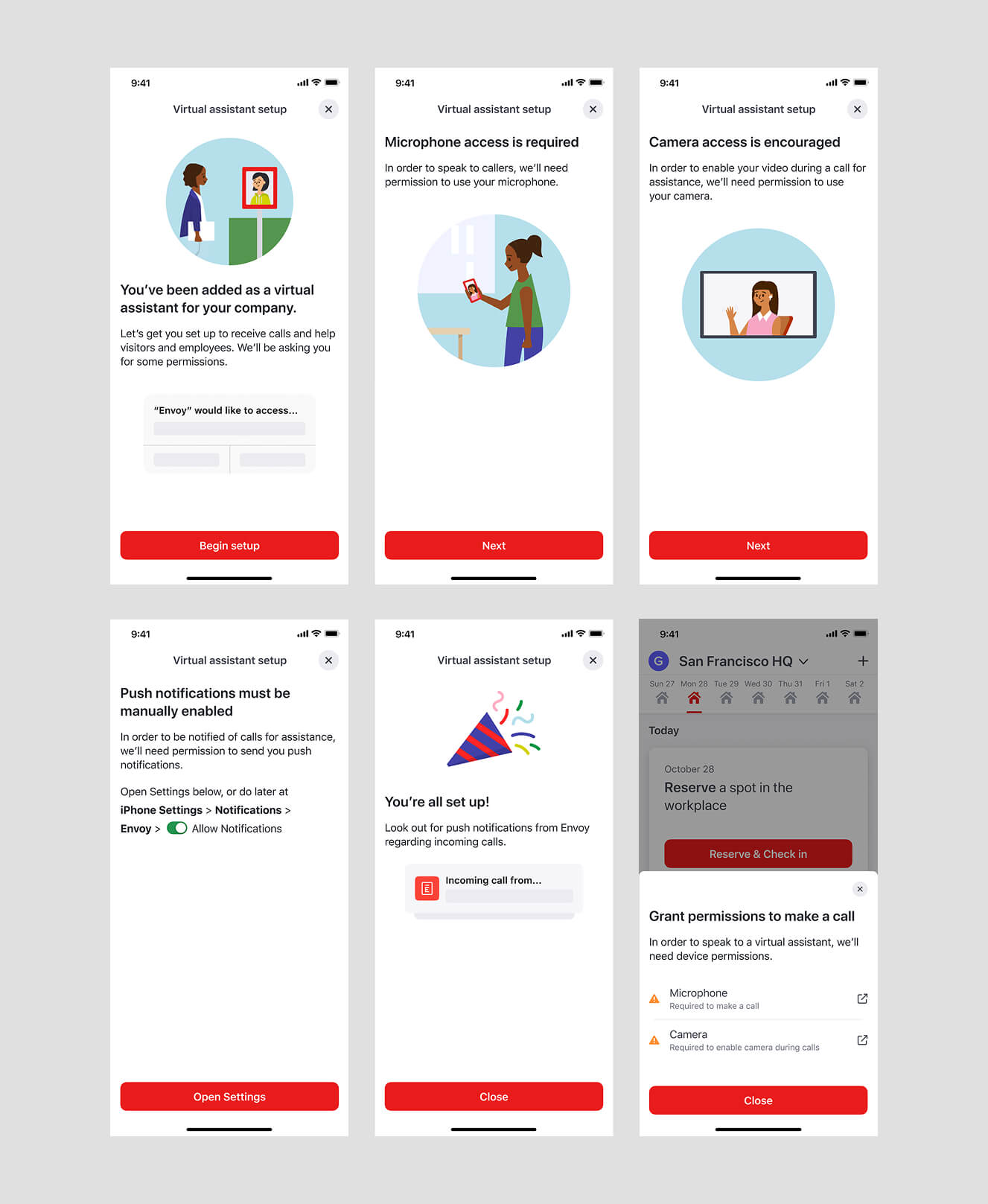
VFD set up in mobile.
Impact
206 offices
First month
$178K+ ARR
First month
500+ offices
Within three months
New SKU
Creating additional upsell opportunities
What I learned
Virtual Front Desk started as a simple way for visitors to call for help, but evolved into a system for managing coverage across people, locations, and time.
It reinforced something I bring to my work today: the simplest experiences often require the most thinking underneath them.

Contact
hello@kevinlessy.com
Kevin Lessy | 2026
Designed with  and
and 